What Is Web Hosting for Beginners? Simple Explanation
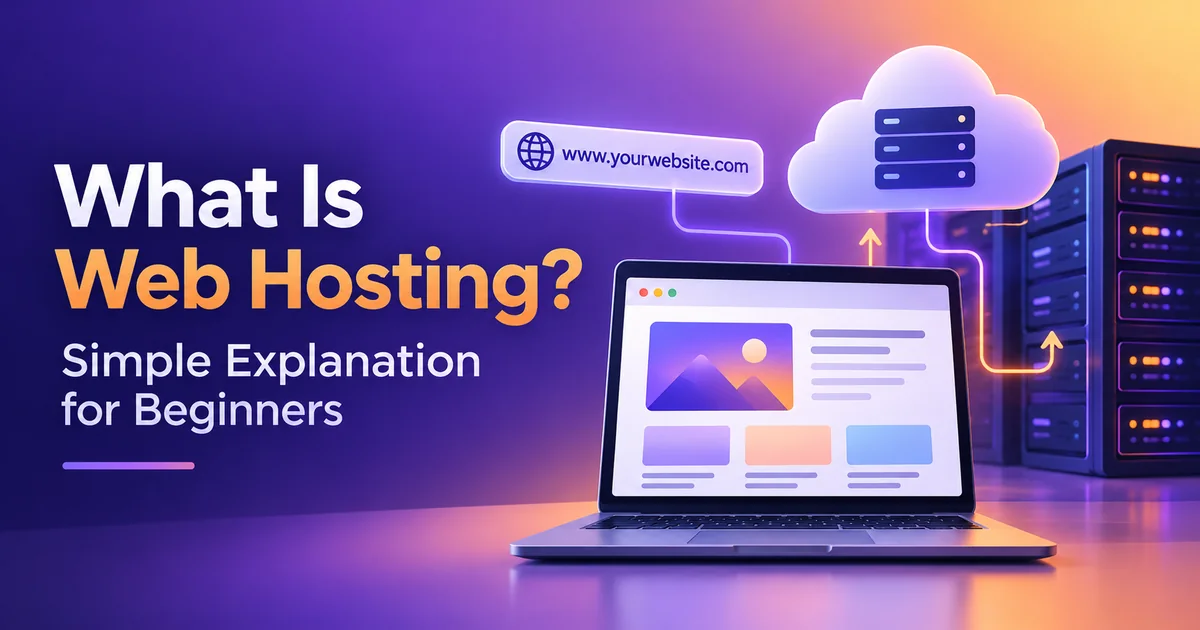
To launch a self-hosted website, you normally need a domain name and web hosting. Some website builders already include hosting and provide a website address.
A domain name is your website address, such as example.com. Web hosting is the service that stores your website files and makes your site available online.
For a beginner, web hosting can sound technical at first. But the basic idea is simple: hosting gives your website a place to live on the internet.
In this guide, you will learn what web hosting is, how web hosting works, the main types of hosting, and how to choose your first hosting plan without getting confused.
Affiliate Disclosure
Some links on this website may be affiliate links. This means we may earn a commission if you purchase through our links, at no extra cost to you. We only mention tools or services when they are relevant to the topic.
How We Verified This Guide
This guide is based on general web hosting concepts, beginner WordPress setup needs, common hosting features, and publicly available information from hosting companies. We do not claim private speed tests, uptime results, or exact provider performance numbers in this article.
Quick Verdict: What Is Web Hosting?
Web hosting is a service that stores your website files on a server so people can visit your site online.
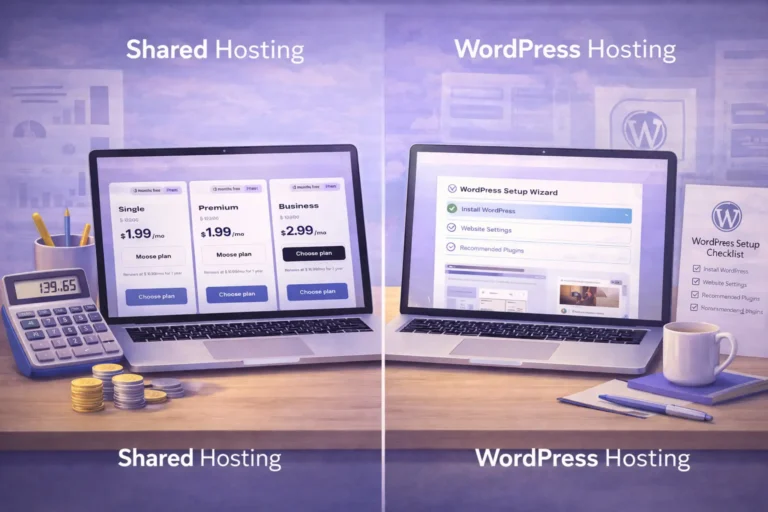
For most beginners, a basic shared hosting or WordPress hosting plan is usually enough to start. You do not need expensive VPS hosting, cloud hosting, or dedicated hosting unless your website has more advanced needs.
The most important things to check are ease of use, support, security features, renewal pricing, and whether the hosting plan works well with WordPress.
What Is Web Hosting?
Web hosting is a service that lets you publish a website online.
When you build a website, your pages, images, text, plugins, themes, and other website files need to be stored somewhere. A web host stores those files on a server and helps make your website accessible to visitors.
In simple terms:
Web hosting is the online space where your website lives.
A web hosting provider is the company that gives you this space. Hosting providers usually offer different plans depending on your website size, traffic, budget, and technical needs.
For example, if you are building a small WordPress website, blog, portfolio, or business site, you usually do not need a complex hosting solution. A beginner-friendly hosting service is often enough.
Web hosting is not the website itself. Your website is the content and design people see. Hosting is the system behind it that stores and delivers that content.
How Does Web Hosting Work?
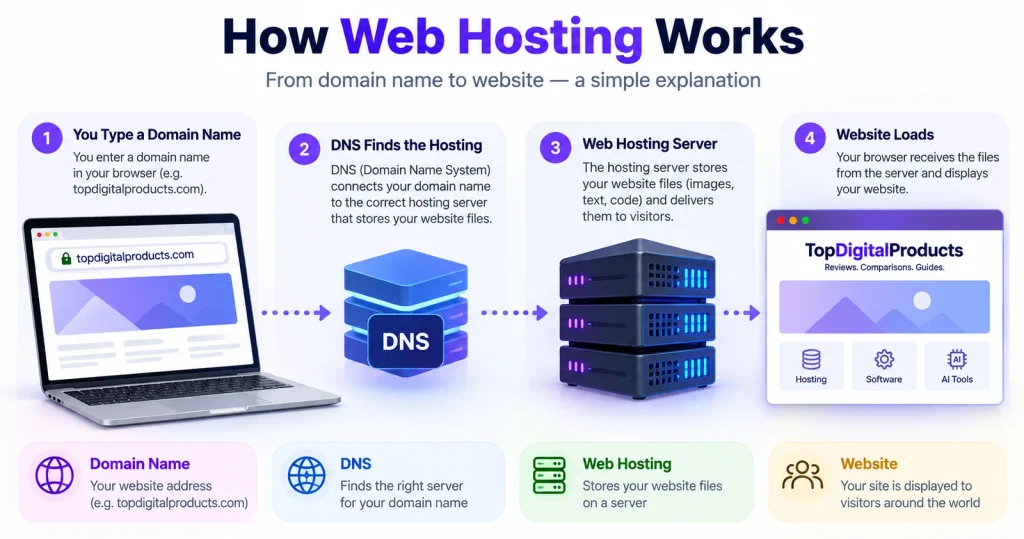
To understand how web hosting works, imagine your website as a group of files.
These files can include:
- Text
- Images
- Code
- WordPress themes
- Plugins
- Databases
- Media files
When someone types your domain name into a browser, the browser needs to find where your website files are stored. The Domain Name System, often called DNS, connects your web address to your hosting account.
Then the server sends the correct files to the visitor’s browser, and your website appears on their screen.
Most hosting companies provide tools that simplify this process, such as:
- One-click WordPress installation
- Hosting dashboard
- Email setup
- SSL certificate
- Backups
- Security tools
- Customer support
So while the technology behind hosting can be complex, using web hosting as a beginner is much simpler than it used to be.
Web Hosting vs Domain Name: What Is the Difference?
A domain name and web hosting are connected, but they are not the same thing.
Your domain name is your website address. For example:
yourwebsite.comYour web hosting is where your website files are stored.
| Item | Simple Meaning | Example |
|---|---|---|
| Domain name | Your website address | example.com |
| Web hosting | Where your website files live | Server space from a hosting company |
The difference between web hosting and a domain name is important because many beginners confuse them.
You can buy a domain name from one company and hosting from another. You can also buy both from the same provider. Many hosting companies offer a free domain for the first year with some hosting packages, but you should always check renewal pricing.
If your domain and hosting are bought separately, you need to connect your domain to your hosting account. This usually involves updating nameservers or DNS settings.
In simple terms:
The domain name helps people find your site. Web hosting stores the site they find.
Why Do You Need Web Hosting for a WordPress Website?
You need web hosting if you want to publish a self-hosted WordPress website online.
WordPress needs server space, a database, and software support to run properly. When you install WordPress, your hosting account stores:
- WordPress core files
- Your theme
- Your plugins
- Your pages and posts
- Your uploaded images
- Your website database
If you are building a website with self-hosted WordPress, hosting gives you more control than using a closed website builder.
A good beginner hosting plan can help you:
- Install WordPress more easily
- Manage your website from a dashboard
- Use your own domain name
- Add business email
- Use SSL for security
- Upgrade later if your site grows
For beginners and small business owners, this is often the most practical way to start building a website with long-term flexibility.
Main Types of Web Hosting for Beginners
There are different types of web hosting. You do not need to understand every technical detail, but you should know the basic differences before choosing a plan.
The main types are:
- Shared hosting
- WordPress hosting
- Cloud hosting
- VPS hosting
- Dedicated hosting
Each type has a different cost, level of control, and performance structure.
Shared Hosting
Shared hosting is usually the most beginner-friendly and affordable type of web hosting.
With shared hosting, your website shares server resources with other websites. This keeps the hosting cost low.
A shared hosting plan is often enough for:
- New blogs
- Small business websites
- Portfolio sites
- Beginner WordPress websites
- Low-traffic affiliate sites
Shared hosting is popular because it is simple and inexpensive. Many shared hosting providers include tools like one-click WordPress installation, SSL, email, and a control panel.
The downside is that your website shares resources with other sites. If your site grows significantly, you may eventually need a stronger hosting option.
For most beginners, shared hosting is a practical starting point.
WordPress Hosting
WordPress hosting is website hosting designed specifically for WordPress websites.
It may include features such as:
- Easier WordPress setup
- WordPress-focused dashboard
- Automatic updates
- WordPress security tools
- Caching features
- Support familiar with WordPress
Some WordPress hosting plans are similar to shared hosting but optimized for WordPress. Others are managed hosting plans where the hosting company handles more technical tasks for you.
WordPress hosting can be useful if you already know you want to build your site with WordPress.
For beginners, the main benefit is simplicity. The hosting environment is usually prepared for WordPress from the start.
Cloud Hosting
Cloud hosting uses a network of servers instead of relying on one physical server.
This can improve flexibility because your website can use resources from multiple connected servers. A cloud hosting provider may offer better scalability than traditional shared hosting.
Cloud hosting can be useful for:
- Growing websites
- Sites with changing traffic
- Businesses that need more flexibility
- Projects that may need more resources later
However, cloud hosting may also be more expensive or more technical depending on the provider.
For a complete beginner, cloud hosting is not always necessary at the start. It can be a good upgrade later if your hosting needs grow.
VPS Hosting
VPS hosting stands for Virtual Private Server hosting.
With VPS hosting, one physical server is divided into separate virtual server environments. This gives you more control and more dedicated resources than basic shared hosting.
VPS hosting may be useful for:
- Larger websites
- Developers
- More advanced WordPress users
- Websites needing custom server settings
- Projects with higher resource needs
For beginners, VPS hosting is usually not the best first choice unless you have a specific technical reason.
Dedicated Hosting
Dedicated hosting gives your website an entire server.
This is the most powerful type of hosting, but it is also usually the most expensive and technical.
Dedicated hosting may be useful for:
- Large businesses
- High-traffic websites
- Complex web applications
- Advanced technical teams
- Sites needing strict server control
Most beginners do not need dedicated hosting. It is usually too much for a new WordPress site, blog, portfolio, or small business website.
What Should Beginners Look for in a Web Hosting Plan?
Choosing a web hosting provider should not be based only on the cheapest first-year price.
A beginner should look at the full hosting experience, including setup, support, security, renewal cost, and how easy the platform is to use.
Here are the most important things to check.
Ease of Use
Beginners should choose a hosting service that is easy to manage.
Look for features like:
- Simple dashboard
- One-click WordPress installation
- Clear billing area
- Easy domain setup
- SSL setup
- Beginner-friendly help articles
A confusing hosting dashboard can slow you down, especially when you are building a website for the first time.
You do not need the most advanced hosting solution. You need one that helps you get your site online without unnecessary friction.
Speed and Uptime
Speed and uptime matter because your website should load properly and stay available.
However, beginners should be careful with exaggerated claims. Many hosting providers advertise strong performance, but real results can vary based on your website setup, theme, plugins, images, traffic, and server location.
Instead of chasing big promises, check whether the hosting plan includes basics such as:
- SSD storage
- Caching tools
- CDN option
- Reliable server infrastructure
- WordPress optimization features
Also remember that your own website choices affect performance. A heavy WordPress theme, too many plugins, or large images can slow down your site even on a good hosting plan.
Security Features
Security is important even for a small website.
A beginner-friendly web hosting service should include basic security features such as:
- SSL certificate
- Malware protection or scanning
- Backups
- Secure login tools
- Server monitoring
- Software update support
An SSL certificate helps protect data between your website and visitors. It also makes your site show as secure in browsers.
Backups are also important. If something breaks, a backup can help restore your site.
Customer Support
Good customer support matters when you are new to web hosting.
As a beginner, you may need help with:
- Installing WordPress
- Connecting a domain name
- Setting up SSL
- Fixing email issues
- Understanding your hosting account
- Solving basic website errors
Before choosing a web hosting company, check what support channels are available. Some hosting companies offer live chat, email tickets, knowledge bases, or tutorials.
Support quality can vary, so avoid assuming every provider is the same.
Renewal Pricing
Renewal pricing is one of the most important things beginners miss.
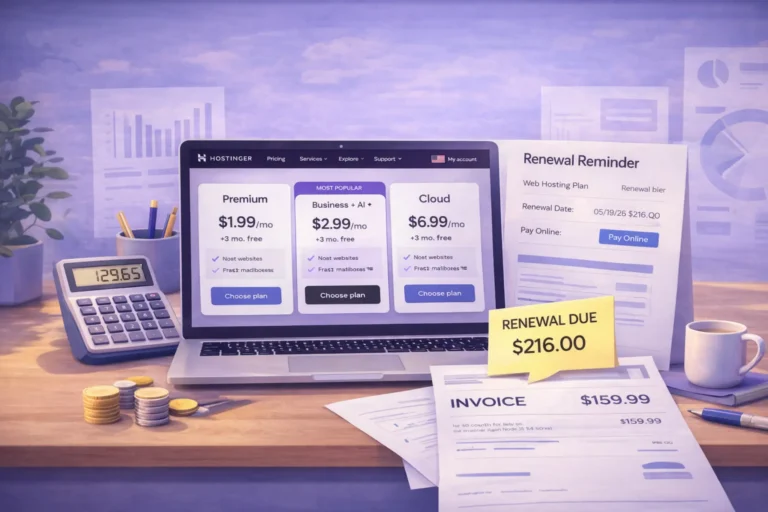
Many hosting providers offer low introductory prices for the first term. After that, the renewal price may be higher.
Before buying a hosting plan, check:
- First-term price
- Renewal price
- Billing period
- Domain renewal cost
- Backup cost
- Email cost
- Upgrade cost
- Refund policy
This is especially important if you are starting a long-term website. Cheap hosting can be fine, but only if you understand the real costs after the first term.
Free Hosting vs Paid Hosting: Which Should Beginners Choose?
Free hosting can be tempting, but it usually comes with limits.
Free web hosting may include restrictions such as:
- Limited storage
- Slower performance
- Ads on your site
- No custom domain
- Weak support
- Limited security
- Fewer WordPress features
- Harder migration later
Free hosting may be acceptable for testing or learning. But if you are building a real website, business site, blog, or affiliate project, paid hosting is usually the better choice.
Paid hosting gives you more control, better features, and a more professional foundation.
For beginners who want to build a serious website, a basic paid hosting plan is usually enough. You do not need the most expensive plan, but you should avoid building an important site on a weak free hosting setup.
How Much Does Web Hosting Usually Cost?
Web hosting cost depends on the provider, plan type, billing period, and included features.
Beginner shared hosting plans are usually the cheapest. WordPress hosting can also be affordable, depending on the company and features included.
More advanced hosting options such as cloud hosting, VPS hosting, and dedicated hosting usually cost more.
When comparing web hosting costs, do not look only at the advertised monthly price. Also check:
- Whether you must pay yearly or monthly
- How much the plan renews for
- Whether the domain name renews separately
- Whether email is included
- Whether backups are included
- Whether security tools cost extra
- Whether migration help is included
A low first-year price can still become expensive later if important features are paid add-ons.
For beginners, the best approach is to choose a plan that is affordable now but does not create surprise costs later.
Is Cheap Web Hosting Good Enough for Beginners?
Cheap web hosting can be good enough for beginners if the plan includes the basics.
A cheap hosting plan may be suitable for:
- A new blog
- A simple business website
- A portfolio
- A personal website
- A small affiliate site
- A beginner WordPress project
But cheap hosting is not automatically good. You should still check the features and limitations.
A beginner should avoid a hosting plan that has:
- Very limited storage
- Poor support
- No SSL
- No backups
- Unclear renewal pricing
- Complicated setup
- Too many upsells
- Weak WordPress support
The goal is not to buy the cheapest plan possible. The goal is to choose the right web hosting plan for your current needs.
For example, a beginner building a simple WordPress site may not need VPS hosting or dedicated hosting. A reliable shared hosting or WordPress hosting plan may be enough.
Hostinger is one example of a hosting company beginners often compare because it offers low-cost plans and WordPress-friendly features. But you should still compare plan limits, renewal prices, and included tools before buying.
How to Choose Your First Web Hosting Plan
Choosing a web hosting plan becomes easier when you focus on your actual website needs.
Use this simple process.
1. Decide What Type of Website You Are Building
Are you building:
- A blog?
- A business website?
- A portfolio?
- An affiliate site?
- An online store?
- A simple web app?
A basic WordPress website does not need the same hosting environment as a complex web application.
2. Choose the Right Type of Web Hosting
For most beginners, the best starting options are:
- Shared hosting
- WordPress hosting
Cloud hosting, VPS hosting, and dedicated hosting are usually better for later stages or more advanced needs.
3. Check WordPress Support
If you want to use WordPress, make sure the hosting provider supports easy WordPress installation.
Look for:
- One-click WordPress setup
- SSL
- Backups
- WordPress tutorials
- WordPress support
- Basic performance tools
4. Compare Renewal Costs
Before selecting a web hosting service, check both the starting price and the renewal price.
This helps you avoid surprise costs later.
5. Avoid Buying Too Much Too Early
Beginners often overbuy hosting.
You probably do not need:
- Dedicated server hosting
- Advanced VPS setup
- Expensive enterprise features
- Large hosting packages
- Developer-only tools
Start with what you need now. You can upgrade later when your traffic, content, or business grows.
6. Pick a Provider You Can Actually Use
The best hosting is not always the most powerful hosting.
For a beginner, hosting is best when it is:
- Easy to set up
- Clear to manage
- Affordable after renewal
- Good enough for your website type
- Supported by helpful documentation or support
That is the practical way to choose the right web hosting plan.
Common Web Hosting Terms Beginners Should Know
Here are some common terms you may see when choosing a web hosting provider.
| Term | Simple Meaning |
|---|---|
| Web host | The company or service that stores your website files and makes your site available online. |
| Hosting provider | Another term for a web host or hosting company. |
| Hosting plan | The package you buy from a hosting company. |
| Server | A computer that stores and delivers website files to visitors. |
| Domain name | Your website address, such as example.com. |
| DNS | The system that connects your domain name to your hosting provider. |
| SSL certificate | A security feature that protects the connection between your website and visitors. |
| Storage | The amount of space available for your website files, images, emails, and databases. |
| Bandwidth | The amount of data your website can send to visitors. |
| Uptime | How often your website is available online. |
| Backup | A saved copy of your website that can help restore it if something goes wrong. |
| Control panel | The dashboard where you manage hosting settings, domains, email, files, and WordPress tools. |
| Managed hosting | Hosting where the provider handles more technical tasks for you. |
Key Takeaways
- Web hosting stores your website files and makes your site available online.
- A domain name is your website address, while hosting is where the website lives.
- Most beginners should start with shared hosting or WordPress hosting.
- VPS hosting, cloud hosting, and dedicated hosting are usually for more advanced needs.
- Always check renewal pricing before buying a hosting plan.
- Free hosting is usually not ideal for serious websites.
- Cheap hosting can be enough for beginners if it includes the right basics.
FAQs About Web Hosting
What is web hosting for beginners?
Web hosting is a service that stores your website files on a server so people can visit your site online. For beginners, it is easiest to think of hosting as the home for your website.
Do I need web hosting to start a website?
Yes, you need web hosting if you want to publish a self-hosted website online. If you are building a WordPress website, hosting is required to store your files, database, theme, and plugins.
What is the difference between web hosting and a domain name?
A domain name is your website address, such as example.com. Web hosting is the service that stores your website files. For a self-hosted website, you generally need a domain name and web hosting. Some website builders include hosting and let you start with a free subdomain.
Can I host a website for free?
Yes, free hosting exists, but it often comes with limits such as ads, weak support, limited storage, no custom domain, and fewer security features. For a serious website, paid hosting is usually better.
What type of web hosting is best for beginners?
Shared hosting or WordPress hosting is usually best for beginners. These options are generally easier to use and more affordable than VPS hosting, cloud hosting, or dedicated hosting.
Is shared hosting good enough for a new website?
Yes, shared hosting is usually good enough for a new blog, small business site, portfolio, or beginner WordPress website. You can upgrade later if your traffic or hosting needs grow.
Is WordPress hosting different from regular web hosting?
WordPress hosting is web hosting that is configured for WordPress websites. It may include easier WordPress setup, automatic updates, caching, and WordPress-focused support.
How much should beginners pay for web hosting?
The cost depends on the provider and plan. Beginners should compare the starting price, renewal price, included features, and any add-on costs before buying.
Can I change hosting providers later?
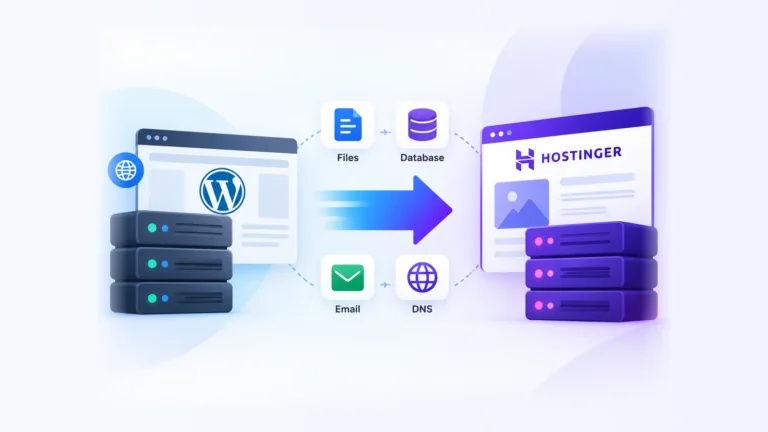
Yes, you can move your website to another hosting provider later. This is called website migration. Some hosting providers offer free or paid migration help.
Should I buy domain and hosting from the same company?
You can, but you do not have to. Buying both from the same company can be simpler for beginners. Buying them separately gives you more flexibility. The most important thing is understanding renewal costs and how to connect the domain to your hosting.
Final Thoughts: What Is Web Hosting in Simple Terms?
Web hosting is the service that stores your website files and makes your website available online.
Your domain name is your website address. Your hosting is where the website lives.
For most beginners, the best starting point is a simple shared hosting or WordPress hosting plan. You do not need advanced hosting unless your website has special technical needs.
Focus on ease of use, support, security, WordPress compatibility, and renewal pricing. That will help you avoid confusion and choose a hosting plan that fits your first website.
If you are comparing beginner-friendly options, Hostinger is one provider you can review as a possible starting point. Always check the latest plan details, renewal pricing, and included features before buying.