Hostinger Review 2026: Is It Good for Beginners?
Affiliate Disclosure: This page contains affiliate links. If you buy through them, we may earn a commission at no extra cost to you.
If you are choosing a web host in 2026, the real goal is not finding a “perfect” company. It is choosing a provider that is easy enough to manage, gives you a sensible starting plan, and still makes sense after the promo price ends. That is why Hostinger remains attractive for many beginners: its workflow is centered around hPanel, it offers live support through chat and Kodee, and eligible annual plans can include benefits like a free domain while SSL is activated automatically on supported hosting products.
This Hostinger review 2026 focuses on the practical questions that matter most for a first real website: ease of use, pricing logic, renewals, plan fit, WordPress usability, support, and whether Hostinger is actually a good match for beginners.
Quick link: Check current Hostinger plans and offers
Quick Verdict
For many beginners, yes — Hostinger is a good choice in 2026.
It is especially attractive if you want:
- a beginner-friendly dashboard
- an easier WordPress setup flow
- free SSL
- a free domain on eligible annual plans
- a clear upgrade path later
It is a weaker fit if you:
- strongly prefer phone-first support
- want premium done-for-you management
- need advanced developer-level control from day one
Bottom line: Hostinger is one of the easier beginner hosts to recommend, but only if you choose the right plan and check the renewal details before buying. Hostinger’s support is available 24/7 through its support flow, but it is not a phone-first hosting experience.
What Is Hostinger Best For?
Hostinger is best for people who want to launch a real website without fighting a complicated hosting panel.
That makes it a strong fit for:
- first WordPress sites
- affiliate blogs
- content sites
- portfolio sites
- simple small business websites
- creators who want to launch lean and upgrade later
It is less compelling for projects that already need premium managed help or developer-first infrastructure from day one. This is not a host I would pick for every possible project, but it is one I would shortlist quickly for beginner WordPress users who value simplicity and a smoother first year.
Hostinger Pros and Cons
Pros
- Easy-to-use hPanel
- WordPress-friendly setup and managed features
- Free SSL on supported hosting products
- Free migration support
- Eligible free domain offers on annual plans
- Automated backups on hosting plans, with stronger backup coverage on higher tiers
- 30-day money-back guarantee on eligible purchases
Cons
- Support starts with chat/Kodee rather than phone support
- Renewal pricing matters much more than the intro banner
- The cheapest plan is often too tight for a serious site
- Value depends on your billing term, taxes, and region
That mix is why Hostinger usually works best for beginners who value usability and a smoother setup path more than premium hand-holding.
Pricing and Renewal Costs
The biggest mistake beginners make is comparing Hostinger only by the intro price.
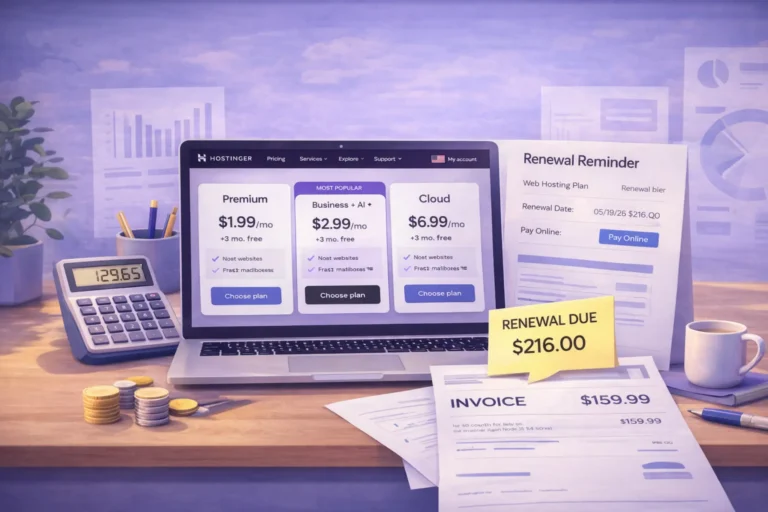
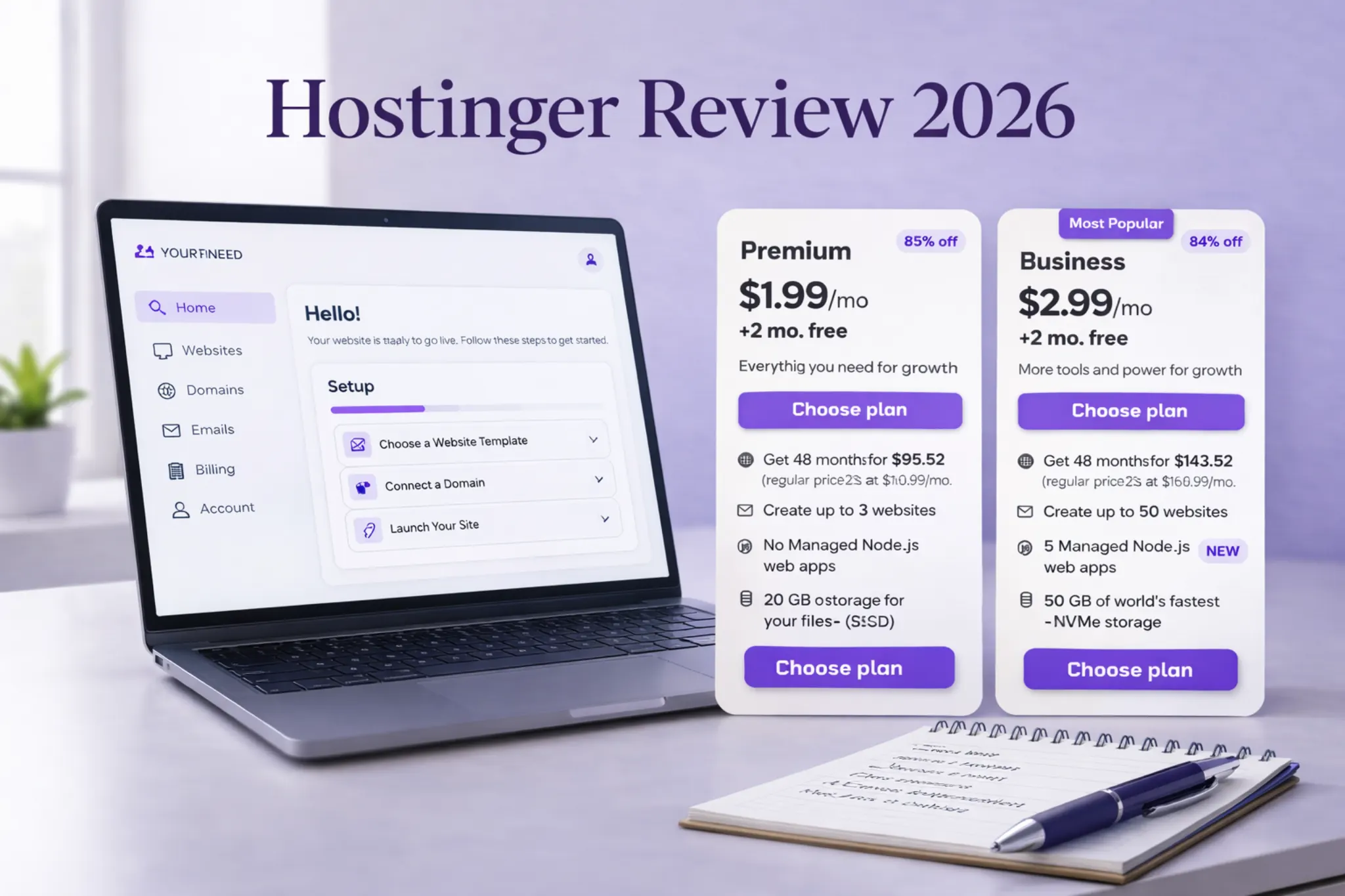
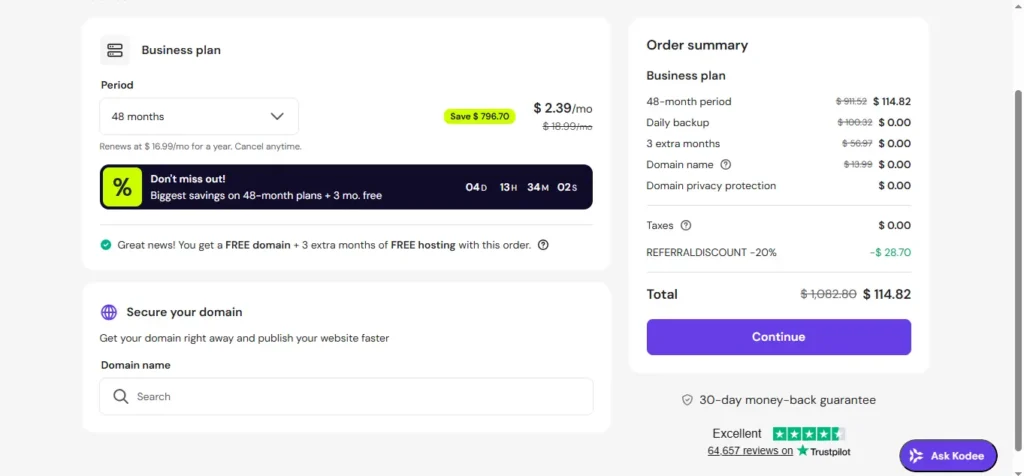
Hostinger’s pricing pages make it clear that the monthly number shown is tied to a longer subscription term, while the actual payment is made upfront at checkout. Hostinger also explains that you can review subscription and billing details inside your account, which matters because the renewal price is what determines whether the plan still feels good after the first term ends.
A second mistake is assuming the free domain applies to everything. Hostinger’s current pricing language ties the free 12-month domain to eligible annual hosting purchases, and the domain renews later at the standard renewal price.
That means the smart question is not, “What is the cheapest number on the pricing table?”
It is, “Will I still be happy with this plan after the discount is gone?”
Need the deeper pricing breakdown? See our guide on Web Hosting Renewal Costs in 2026.
Which Hostinger Plan Makes Sense for Most Beginners?
For most beginners, the best plan is usually not the absolute cheapest one.
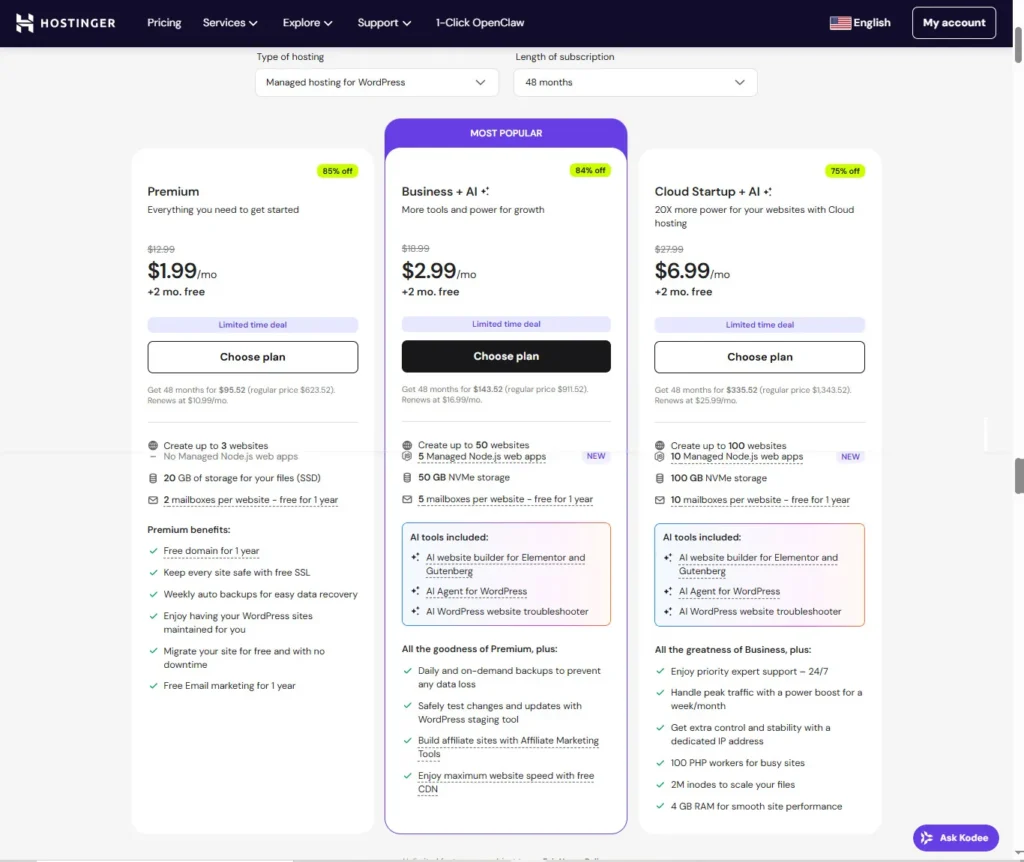
In practice, a mid-tier starter plan is usually the safer default for a real first website because it gives you more room than an ultra-basic entry plan. A higher plan becomes easier to justify when stronger recovery options, more storage headroom, and more business use matter from day one. That is why many beginners will feel more comfortable starting one level above the cheapest option, especially for a serious affiliate site or content project.
If you want the full plan-by-plan recommendation, read Best Hostinger Plan for WordPress Beginners in 2026.
Ease of Use: hPanel and WordPress Setup
One of Hostinger’s biggest strengths is usability.
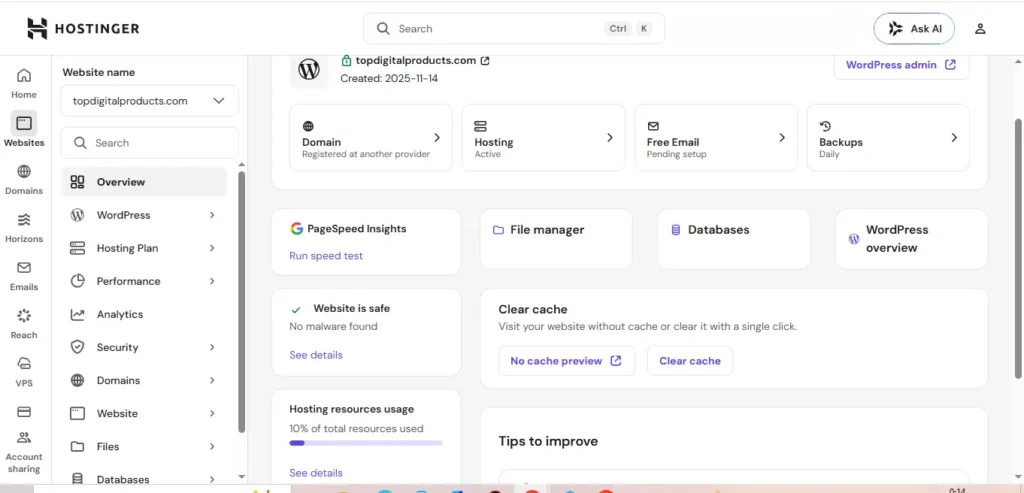
Hostinger’s help documentation positions hPanel as the central place to manage websites, domains, billing, email, and more. That matters because beginners usually do not struggle with “servers” first. They struggle with dashboard confusion, setup friction, and not knowing where important settings live. Hostinger reduces much of that friction by centralizing the workflow.
For WordPress users, that matters even more. A host becomes easier to recommend when the setup flow feels guided instead of intimidating.
If you want the full walkthrough, read How to Start Your First WordPress Site on Hostinger in 2026.
Performance, Security, and Backups
No host can make a messy website fast. But Hostinger does check the right boxes for many beginner WordPress projects.
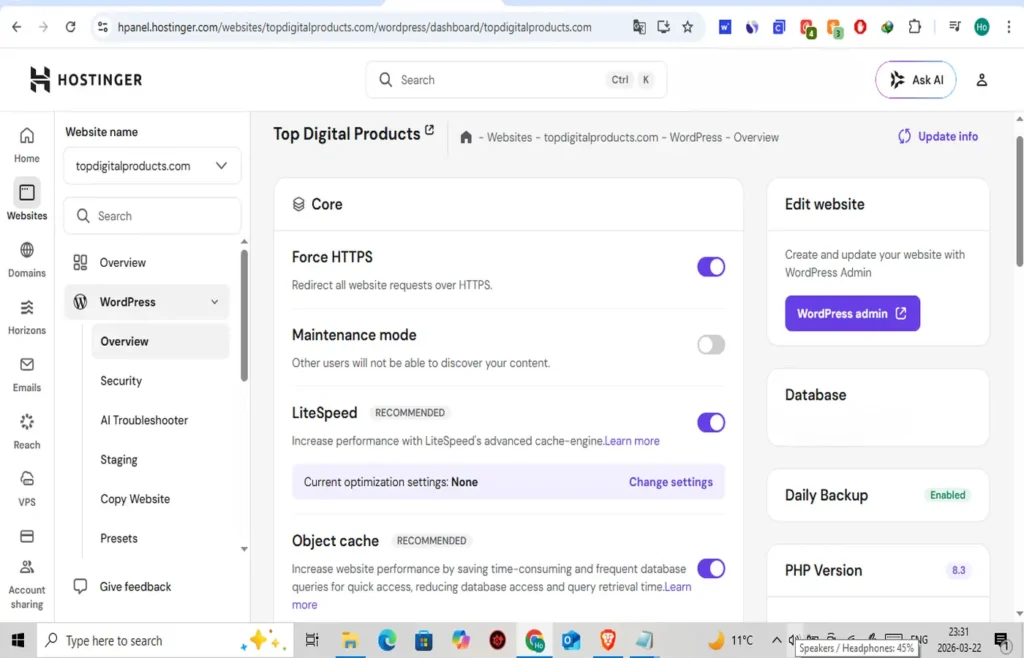
Hostinger’s pages highlight automatic SSL activation, platform-level features around performance, and a setup that gives you access to practical tools like HTTPS controls, cache settings, and dashboard-based management. Real-world speed still depends on your theme, plugins, images, and overall WordPress hygiene, but Hostinger gives beginners a solid base to build from.
If you are still deciding between hosting types, read Shared Hosting vs WordPress Hosting.
Hostinger Support and Refund Policy
Support is one of the biggest practical filters for beginners.
Hostinger’s support flow is centered around live chat, the Support Center, and Ask Kodee inside hPanel. Hostinger states that customer success help is available 24/7, which is good for many users, but it is still not a phone-first support model. If you strongly prefer phone support, that is a real fit issue — not a minor detail.
On refunds, Hostinger’s refund policy says eligible products may be refunded if canceled within 30 days of the transaction, while some products or payment types can have exclusions. That is one more reason to read the checkout carefully before buying.
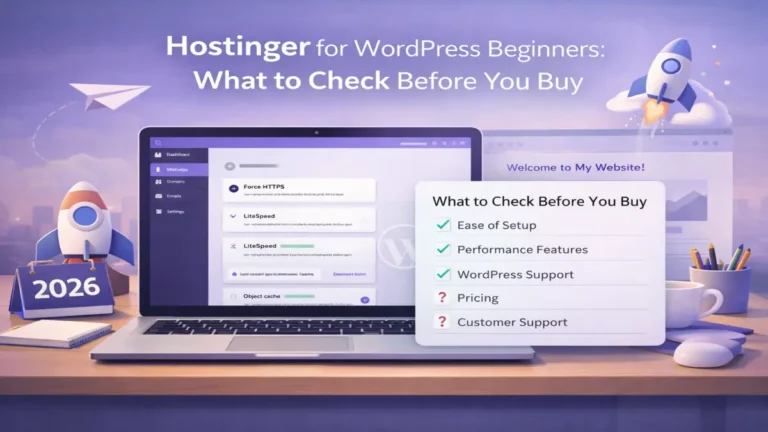
Before checkout, also read Hostinger for WordPress Beginners: What to Check Before You Buy.
Who Should Use Hostinger and Who Should Avoid It?
Hostinger is a good fit for:
- beginners building their first WordPress site
- affiliate marketers starting a lean content site
- bloggers and creators
- small business owners who want a simpler launch path
- users who value usability and affordability more than advanced customization
You may want to skip Hostinger if:
- you require phone-first support
- you want premium managed WordPress service with more hand-holding
- you already know you need VPS-level flexibility
- your project is complex enough to outgrow entry or mid-tier hosting immediately
That is the cleanest summary of this review: Hostinger is not the right host for every possible project, but it is one of the more beginner-friendly options for WordPress-driven sites when you want a smoother start and a clear upgrade path.
Still comparing providers? Read Hostinger vs Bluehost for Beginners in 2026.
FAQs
Is Hostinger good for WordPress beginners in 2026?
Yes. Hostinger is a strong fit for WordPress beginners who want a cleaner dashboard, guided setup, and an easier launch path than a more old-school hosting experience.
Does Hostinger include a free domain?
It can, but the offer depends on eligible annual plans, and the free registration is generally for the first year only.
Does Hostinger include free SSL?
Yes. Hostinger’s pricing FAQs say SSL is activated automatically on supported hosting plans.
Does Hostinger have phone support?
Hostinger’s current support flow is centered on live chat, Kodee, and the support center rather than a phone-first support model.
Final Verdict
If you want the short answer, here it is:
Yes — Hostinger is good for beginners in 2026.
It is not the right host for every kind of project, but it is one of the easier options to recommend when your priorities are simple setup, WordPress compatibility, manageable pricing, and a sensible upgrade path later. The smartest move is not chasing the lowest promo price. It is choosing the smallest plan that still feels safe for the first year, then checking the renewal details before you commit.