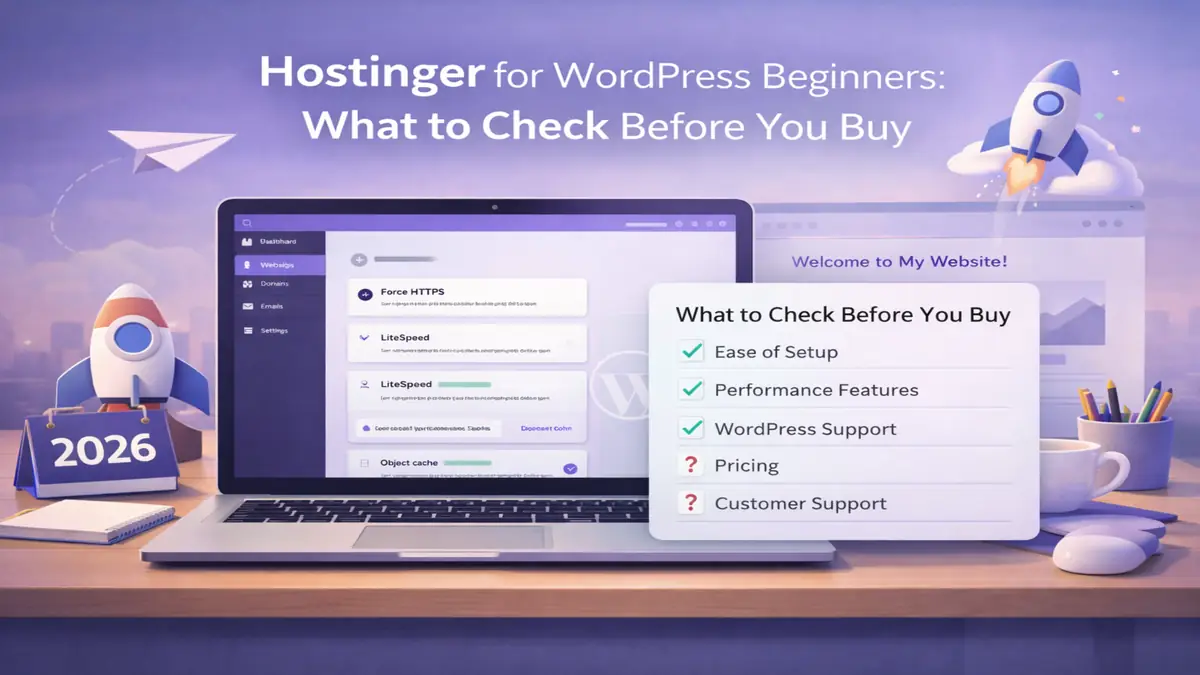
Hostinger for WordPress Beginners: What to Check Before You Buy
Choosing web hosting for a first site is less about chasing the lowest headline price and more about avoiding the wrong setup. This guide explains where Hostinger fits, what a beginner should check before buying, and when a different hosting provider makes more sense.
Affiliate Disclosure: This article contains affiliate links. If you buy through them, we may earn a commission at no extra cost to you.
How we verified: We reviewed Hostinger’s current WordPress hosting, pricing, migration, support, and hPanel documentation, plus WordPress.org’s current requirements page, to confirm the features and limits that matter most to first-time site owners.
Why this article is worth reading
Most reviews repeat sales copy. This one focuses on the buying questions that matter more: renewals, setup, support, restore options, daily management, and the real difference between WordPress-specific hosting and general plans.
Quick Verdict (TL;DR)
Best for: first blogs, small business sites, portfolios, and lean affiliate marketing builds.
Avoid if: you need phone-first support, deep server control, or a highly customized hosting setup.
Bottom line: Hostinger can be a practical choice for WordPress beginners who want a simple dashboard, SSL, basic recovery options, and an easier setup path. Before buying, check the renewal price, backup level, support style, and whether the plan matches your first-year needs.
Quick link: Check Current Hostinger Plans
Why do first-time site owners shortlist it?
The main appeal is simplicity. Hostinger offers a path that lets a new user buy a hosting plan, connect a domain name, install WordPress, and get a site live without learning an older-style panel first.
That matters because WordPress is a content management system, not a complete hosting service on its own. To run it properly, you still need a server environment with PHP, MySQL or MariaDB, and HTTPS support. WordPress.org lists those as core requirements, and Hostinger says its managed offer is optimized for WordPress.
For people launching a first project, the value is not that the platform does everything for you. It is that it removes setup friction, which makes starting a blog or business site much less intimidating.
Is it actually good for first-time users?
Yes, with limits. The platform is built to reduce the steep learning curve that often comes with first-time web hosting. Its main dashboard, hPanel, centers common tasks like site setup, billing, domains, migrations, email, and service management.
It also helps that the setup is mostly one-click. The current WordPress flow on Hostinger’s own pages is essentially: buy a plan, claim the domain if included, use the one-click installer, then add your theme and plugins.
Easy does not mean automatic, though. You still need to choose WordPress carefully, keep plugin use under control, and learn enough to manage your website responsibly.
Which plan is best for most first sites?
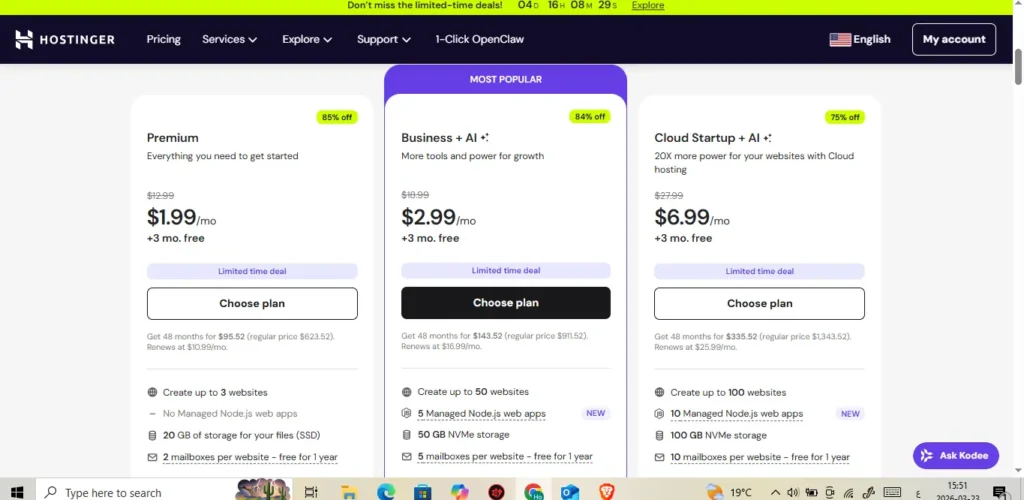
For most people, Premium is the safest starting point. Hostinger currently lists Premium with a domain for year one, free SSL, weekly auto copies for recovery, managed WordPress maintenance, and migration support. That makes it a sensible WordPress plan for a brochure site, portfolio, local service business, or first content project.
Business is the stronger option when you need more room to grow. Hostinger’s current plan details show daily and on-demand restore points, staging, more storage, free CDN, and more capacity for heavier plugins or a light store.
Cloud Startup only makes sense when your project already needs more hosting resources. The current page positions it as the higher-powered option with cloud hosting benefits such as a dedicated IP and priority expert support, which many first-site owners simply do not need on day one.
| Plan | Best for | Included highlights | Main caution |
|---|---|---|---|
| Premium | first WordPress website | domain for year one, SSL, weekly restore copies, migration | long-term renewal cost matters |
| Business | growing content site or small store | daily restore points, staging, CDN, more headroom | higher spend over time |
| Cloud Startup | sites needing stronger resources | dedicated IP, priority support, extra power | often too much for a first site |
This summary table is based on Hostinger’s current published plan pages.
What should you check before buying?
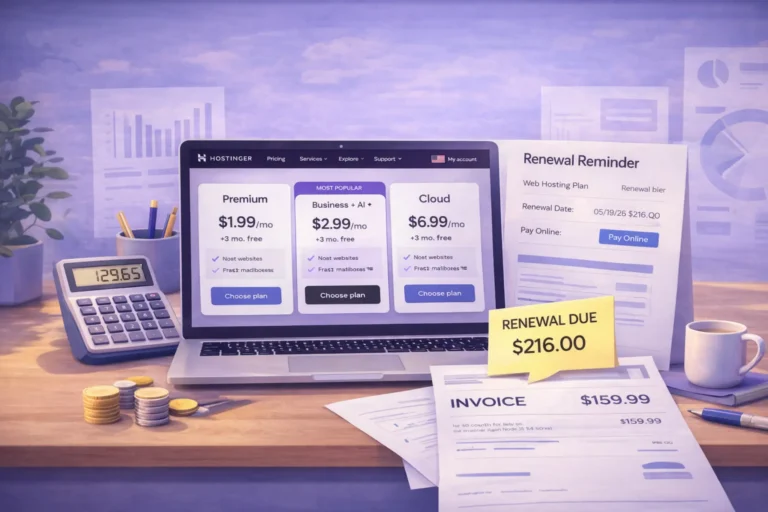
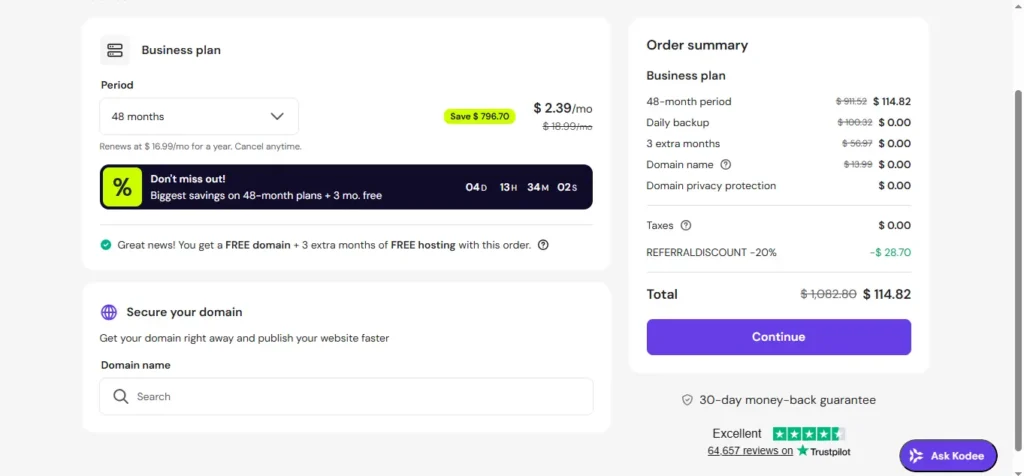
Start with the billing term. For more detail on second-year pricing, read the guide to web hosting renewal costs. Hostinger’s lowest advertised rates are tied to longer prepaid periods, and the renewal rate is much higher afterward. Its pricing page also says the plans are paid upfront, so the monthly number is only a divided-down display, not a month-to-month bill.
Then review the included items. A free domain name usually covers year one on qualifying plans, while SSL certificate coverage is bundled more broadly. The same official pages also point to a 30-day money-back guarantee, but that still does not replace checking the full checkout summary, renewal timing, taxes, and future domain renewal details.
The goal is to choose pricing that still makes sense after checkout, not just the biggest discount on the landing page. A simple service site, a content project, and a small store do not need the same starting setup.
How does WordPress-specific hosting differ from general plans?
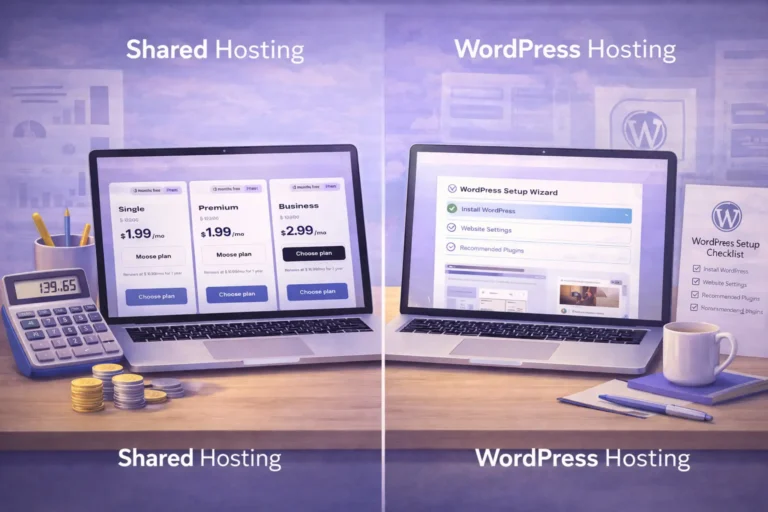
This is one of the most useful buyer questions. Web hosting is the broad category that includes shared hosting, cloud plans, and VPS options. WordPress hosting is a narrower offer built around the needs of WordPress sites. These are different types of hosting with different levels of convenience and control.
In practical terms, the main difference is convenience. Hostinger’s own explanation says WordPress-focused hosting can include automatic updates, setup tools, and optimized servers for WordPress, while regular web hosting is more general and asks for more hands-on work.
If you already know you want to run a WordPress website, choose WordPress hosting. If you need unusual software, deeper control, or a non-WordPress stack, general hosting may be the better fit.
How easy is it to get started?
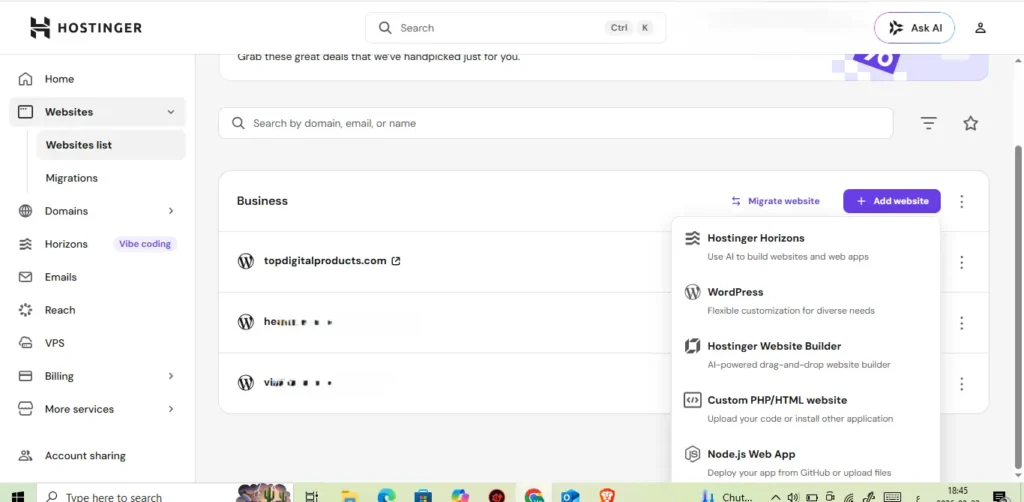
Getting started with Hostinger is straightforward: pick a hosting plan, claim your free domain if it applies, use the one-click installer to install WordPress, then add your theme and essential plugin stack.
This is where it feels easy for first-time users. You can host a WordPress site without touching a single line of code during the initial setup, and the host also provides an hPanel migration path if you need to move an existing site from another hosting provider.
Still, easy setup is not finished setup. After you install WordPress, you still need to configure permalinks, forms, analytics, security basics, and your core pages.
Which features matter most for a first site?
For a first-time owner, the most valuable features are the boring ones. Hostinger provides the basics most new sites need: SSL, recovery options, migration help, automatic updates, and a cleaner management flow. The included free SSL certificate matters because it gives you HTTPS from the start instead of leaving security as a later task.
Performance matters too, but it should be framed honestly. Hostinger says it uses LiteSpeed, smart cache tools, and a 99.9% uptime guarantee with 24/7 monitoring. Those can support better website speed and load times, but your theme, image sizes, plugin choices, and on-page setup still shape the real outcome.
If you are building a small store, Business is usually the better fit because heavier WordPress plugins and store workflows benefit from stronger restore coverage and more headroom.
What about support, migration, and daily management?
Support is a practical filter. Hostinger promotes 24/7 live chat, knowledge-base articles, tutorials, and email contact for people without an account. Its help pages do not present phone help as the main route, so this is not the right hosting company for readers who strongly prefer phone-first support.
Migration is handled through hPanel. Hostinger’s WordPress help section says you submit a request in the Migrate Website area after purchase, and the page says the transfer is handled within 24 hours. That is useful if you want to move a WordPress site without doing the full manual process yourself.
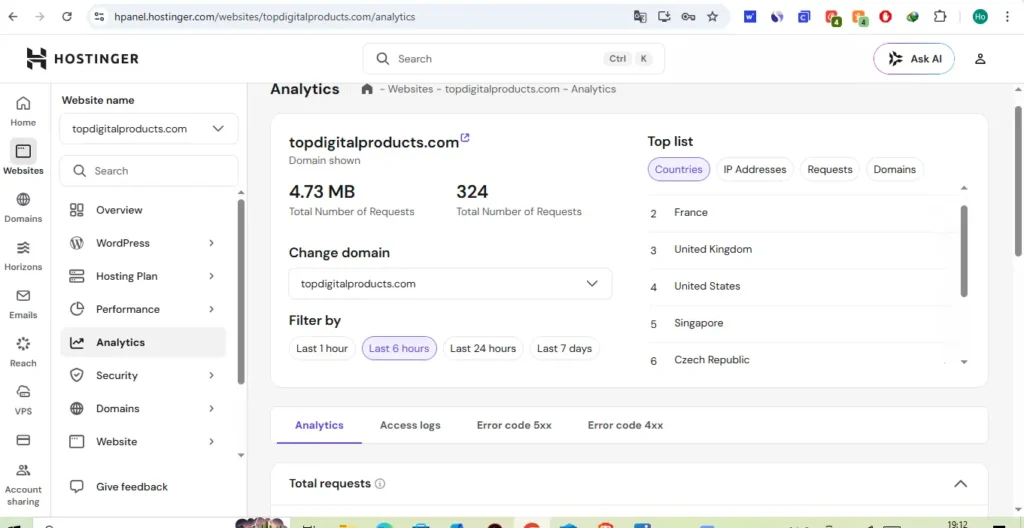
Daily management is also simpler than many legacy panels. Hostinger’s hPanel documentation shows one place to manage websites, domains, email, billing, and related services, which lowers day-to-day friction for website owners.
When should you avoid it?
Avoid it if you know you need deeper technical control from day one. Developers who need a very specific cPanel workflow, root-level flexibility, or unusual infrastructure may be better off with VPS or another stack. Hostinger’s own support docs say most of its mainstream hosting uses hPanel, while cPanel is mainly tied to VPS plans with a separate license path.
You should also hesitate if your project will outgrow entry-level shared hosting fast, or if phone-first support is non-negotiable. Many hosting companies can get a simple site online, but not every one is the right fit for a custom or high-complexity build.
Also avoid hype-driven decisions. Looking for the best headline deal is understandable, but choosing a host only on introductory price often creates disappointment later.
How should a first-time buyer decide?
Use a simple filter. Choose Web Premium if you are building a first blog, portfolio, brochure site, or straightforward content project. Choose Web Business if your site is tied to revenue, ecommerce, heavier plugins, daily backups, or stronger recovery needs.
Before checkout, confirm four things: renewal pricing, domain renewal rules, backup level, and support style. Those details matter more than the lowest first-term price.
Choose Hostinger when simplicity matters more than advanced customization. Skip it when phone-first support, deep server control, or a custom setup is non-negotiable.
Key Takeaways
- Hostinger can work well for WordPress beginners who want simpler onboarding and easier daily management.
- The main things to check before buying are renewals, backup level, support style, domain rules, and upgrade path.
- Web Premium is usually enough for a simple first site, while Web Business is safer for revenue-focused or heavier projects.
- Renewal pricing may differ sharply from intro pricing, so read checkout details.
- Do not choose only by the headline discount.
- The right host depends on project scope, not just price.
FAQs
Does it include a free domain and SSL?
Yes, on qualifying plans and billing terms. A free domain usually applies to the first year only, while SSL is available on eligible hosting plans. Always confirm the current checkout details before buying.
Is it better than regular hosting for WordPress?
If your goal is a site optimized for WordPress, usually yes. Hostinger’s own explanation of the difference between WordPress hosting and general hosting is basically that the WordPress-focused setup removes more manual work.
Can you migrate an existing site?
Usually yes, but migration availability can depend on eligibility, site type, and resource limits. Check the current migration details before relying on it.
Does it use hPanel or another control panel?
For most mainstream web and cloud plans, Hostinger uses hPanel. Its support docs say cPanel is mainly tied to VPS plans and a separate license path.
Is this the right choice for search visibility?
No host guarantees SEO results. A stable hosting setup, HTTPS, sensible caching, and faster load times can support a healthier technical foundation, but rankings still depend on content quality, site structure, backlinks, and overall SEO execution.
Can you build a site without coding?
Yes. WordPress emphasizes no-code site-building tools, themes, and plugins, and Hostinger’s plan pages also include website builder tools for faster setup.
Who should skip it?
Skip it if you need phone-first support, unusual infrastructure, or the kind of deep control that usually points toward VPS rather than a simplified shared setup.
Conclusion
Hostinger is worth considering for WordPress beginners who want a simpler setup, hPanel, SSL, backup options, and a clear path to launch without advanced server work.
Before buying, check the renewal price, billing term, domain rules, backup level, support style, and whether Web Premium or Web Business better fits your first-year needs.
Choose it if simplicity matters more than advanced customization. Skip it if phone-first support, deep server control, or a custom stack is non-negotiable.