Shared Hosting vs WordPress Hosting: What Should Beginners Choose?
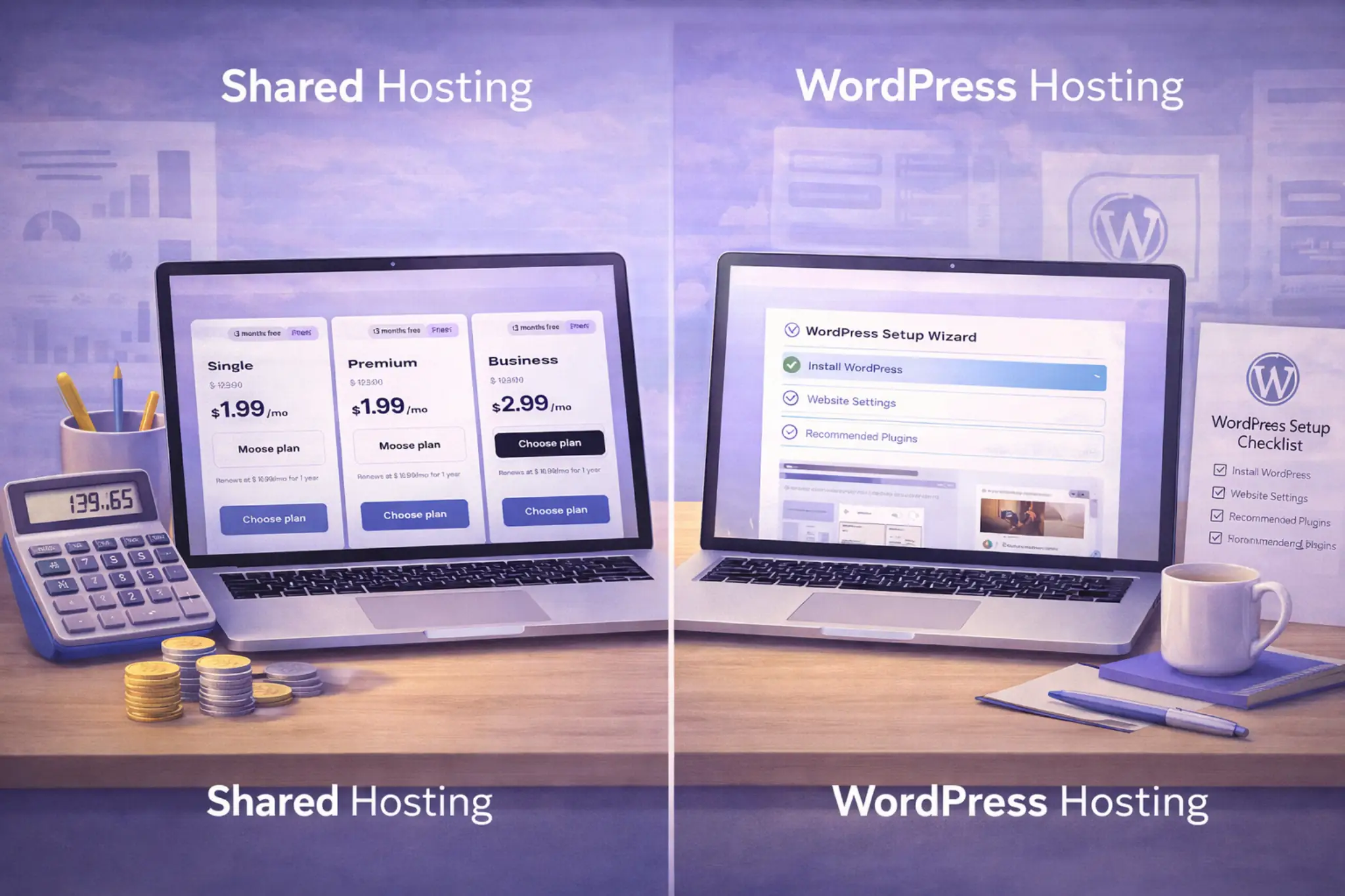
If you are deciding between WordPress hosting vs shared hosting, do not start with marketing labels. Start with the real choice: lower cost and more DIY control, or a setup that removes more WordPress admin work from your plate. Understanding WordPress hosting early can prevent an expensive mismatch later.
Affiliate Disclosure: This article may contain affiliate links. If you buy through them, we may earn a commission at no extra cost to you. We only recommend products we believe are worth considering.
How we verified: We built this guide around common plan structures used by mainstream hosting companies, standard WordPress requirements, and the buying details you can confirm on provider sales pages and checkout screens. We did not rely on unpublished speed tests, temporary discounts, or unsupported support claims.
Why this article is worth reading
Many comparison posts blur everything together, then push a recommendation too early. This guide stays practical: what each setup is, who it suits, where the trade-offs show up, and what to check before you pay. It also shows where WordPress hosting earns its extra cost and where it does not.
Quick Verdict (TL;DR)
- Pick a shared plan when budget comes first, traffic is modest, and you are comfortable handling more of the setup yourself.
- Pick a WordPress host when you want a setup optimized for WordPress, easier maintenance, and a smoother path for updates, backups, and growth.
- For many first sites, starting with a low-cost shared plan is sensible. For a business site, store, or content project you plan to grow, a WordPress-focused plan often saves time.
- Once you know which hosting type fits your site, the next step is comparing beginner-friendly hosting plans carefully.
What is shared hosting?
Shared hosting is a type of web hosting where many sites use the same server resources. That is why a shared hosting plan is usually the lowest-cost web hosting plan available. Among common types of hosting, it sits at the entry level beside cloud hosting, VPS hosting, and dedicated hosting.
A hosting provider gives you a hosting account, storage, a control panel, and basic tools to install WordPress or another app. Shared web hosting works well when the site is simple, traffic is light, and you do not need a specialized hosting environment. For a blog, portfolio, or brochure site, this setup is often enough.
This setup might give you fewer WordPress-specific tools, so you may handle more of the backups, updates, caching, and troubleshooting yourself. That is why it offers value first, not convenience first.
What is WordPress hosting?
WordPress hosting is a hosting solution built around WordPress sites. Instead of treating WordPress as just another app, the provider shapes the environment around that platform. A good WordPress host may preinstall the software, tune caching, simplify security settings, and make routine maintenance easier.
Not every plan in this category is premium. Some providers sell shared WordPress hosting, which still uses shared infrastructure but adds WordPress-friendly defaults. Others use cloud hosting or a more advanced stack. The common theme is that the setup is optimized for WordPress and easier for a WordPress user to manage.
A typical WordPress hosting plan may include automatic updates, backups, one-click staging, or a cleaner WordPress dashboard flow. For many buyers, WordPress hosting feels closer to a guided product than raw server space. If you run a WordPress site for business, publish often, or depend on several WordPress plugins, those extras can reduce daily friction on a growing WordPress website.
What are the key differences that matter in practice?
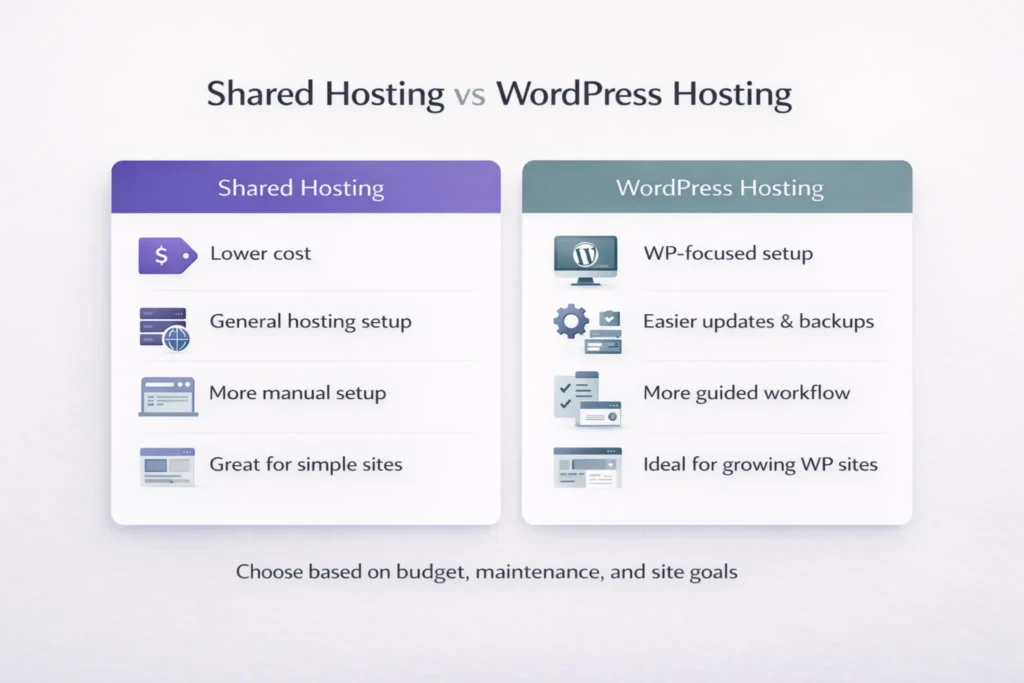
The real gap is not “cheap versus expensive.” It is how much work the provider handles for you. At a glance, shared hosting and WordPress hosting can look similar because both may run on shared infrastructure. Even so, the WordPress hosting service usually adds tools and defaults tailored to WordPress. That matters most when updates, backups, or plugin issues show up.
A managed plan goes further. It often adds safer update workflows, staging, stronger security defaults, and support that understands WordPress core and common plugin conflicts. A shared hosting plan can still run a WordPress website well, but you usually do more of the admin work yourself.
| Area | Shared hosting | WordPress-focused plan |
|---|---|---|
| Setup | Broad setup, then add WordPress | Often preconfigured for the platform |
| Maintenance | More manual | More guided |
| Support scope | Broad hosting help | May include WordPress-specific help |
| Best fit | Small sites and tight budgets | Growing WordPress site, store, or small business |
Who should start with a shared plan?
Choose shared hosting when you want the lowest entry cost and your site is still simple. It is a practical hosting option for first projects, test sites, personal blogs, and small business pages that mostly need a web presence rather than a complex workflow.
These two setups are not identical: the first is broader and can suit people who may host another app later or who do not want a plan built around WordPress. If you are comfortable learning as you go, this option is a good entry point.
You should avoid shared hosting when the site is tied to sales, leads, client work, or frequent changes. In those cases, the time you save with better tooling can matter more than the money you save on the first invoice.
Best for: first sites, simple blogs, brochure pages, and budget-conscious launches.
Avoid if: the site supports revenue, client deliverables, bookings, or frequent updates.
Who should pay for a WordPress-specific plan?
Pay for WordPress hosting when WordPress is clearly central to the project and you want less setup work. A WordPress host often gives you a smoother launch, clearer maintenance tools, and a more guided workflow than a broad hosting setup.
This matters most for people who are not technical, publish regularly, or run a site that cannot break easily. A WordPress hosting provider may include backups, easier restores, update tools, and a dashboard built for websites built on WordPress. For a small business owner, that can be more useful than saving a few dollars upfront.
It is also the better choice when growth is likely. If you know you will add plugins, publish often, or expand into leads or sales, a WordPress hosting plan can be the safer long-term fit for your WordPress website.
Best for: content sites, stores, lead-gen projects, and owners who want fewer technical chores.
Avoid if: the site is temporary, extremely simple, or your budget matters more than convenience.
Is managed WordPress hosting worth the extra cost?
Managed WordPress hosting is worth considering when your time is expensive or your site matters commercially. The main benefit is not magic speed. It is fewer routine tasks, safer maintenance, and clearer ownership when something breaks. The value is fewer routine tasks, less stress, and clearer ownership when something breaks.
For a hobby site, it may be too much. If you are comfortable with backups, updates, and plugin checks, a basic plan or shared web hosting may be enough. But if delays affect leads, orders, or client trust, the managed option can be easier to justify.
Do not buy it because someone promises magic speed. Buy it when you want more help with maintenance, safer updates, and less time spent inside the technical side of a running a WordPress site.
What should you know about pricing, renewals, and upgrades?
Shared hosting usually wins on launch price. A web hosting plan in this category often starts low because server costs are spread across many customers. That makes it attractive for new site owners, but the entry price is not the full cost story.
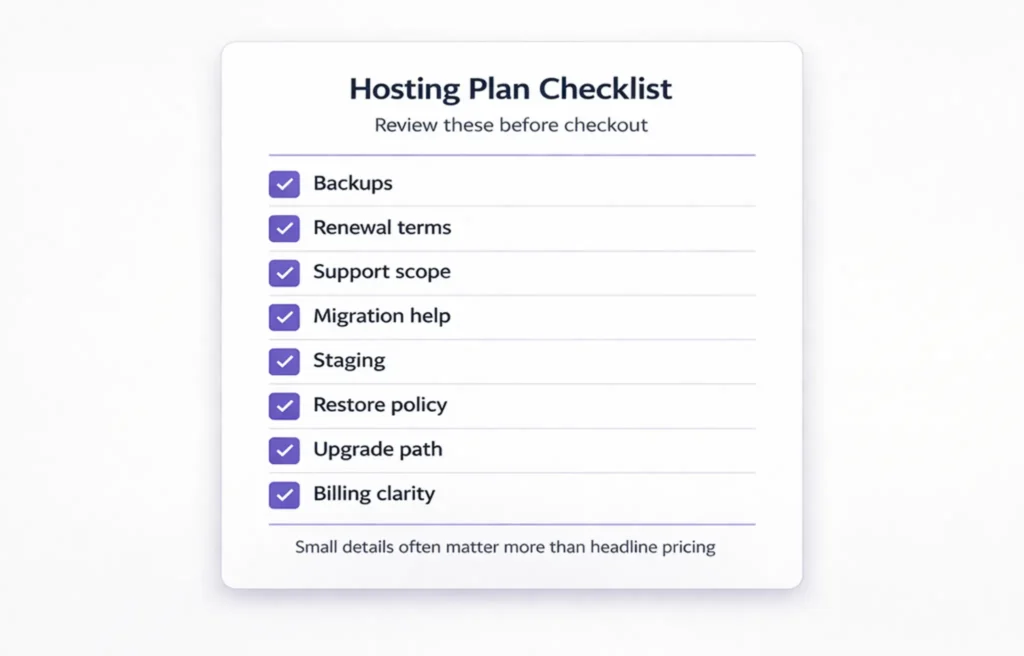
Before you buy any shared hosting plan or WordPress hosting plan, check the renewal rate, backup policy, email limits, migration terms, domain renewal, SSL, CDN, and whether staging is included. Hosting offers can look similar until checkout details show the gaps.
Upgrades matter just as much. Many hosting companies let you move from shared hosting to cloud hosting, VPS hosting, or a higher WordPress hosting package later. Some WordPress hosting plans start higher because they bundle more management from day one. That path matters more than a short-term discount, because hosting often becomes a growth decision after year one.
What should you check before checkout?
Start with the basics: storage, visit or resource limits, backups, restore policy, email, support scope, staging, and migration help. If the company sells both options, compare shared plans and WordPress plans line by line rather than trusting broad labels.
Then look at what the setup actually does for WordPress. Is it optimized for WordPress? Can you launch WordPress in one click? Are automatic updates included? Is the environment easy to manage if you need to test a change or roll back? These details matter more than homepage slogans.
Finally, check how easy it is to leave or upgrade. Reliable hosting is not just about uptime language. It is also transparent billing, clear limits, and a hosting provider that explains what happens when your needs grow.
How do you choose the right plan without overpaying?
Start with workload, not slogans. Ask how often the site changes, whether revenue depends on it, how comfortable you are with technical tasks, and what happens if an update breaks something. Choosing the right type of hosting plan gets easier when you measure risk, not just price.
For a personal blog, portfolio, or simple company page, a low-cost shared plan can be enough. For a content site, store, membership setup, or client project, WordPress hosting often becomes the cleaner fit because it reduces admin work and gives you a more guided workflow.
If your site may grow quickly, compare the upgrade path before choosing the cheapest option. The goal is not to buy the most expensive plan. It is to avoid starting with a setup that becomes too limited after the first few months.
| Your situation | Better starting point | Why |
|---|---|---|
| First blog or portfolio | Shared hosting | Lower cost and lower risk |
| Simple service site | Shared hosting or starter WP plan | Depends on how hands-on you want to be |
| Content site publishing weekly | WordPress hosting | Easier upkeep |
| Store or lead-gen project | Managed WordPress hosting | More support for updates and restores |
The simplest rule is this: start lean, but do not start fragile. If you want to save money first, shared hosting is a good fit. If you want to save time first, a WordPress host is often the better answer.
If you already know you want a WordPress-focused setup with beginner-friendly management, compare the current Hostinger plans before choosing.
Key Takeaways
- Shared hosting is usually the lower-cost starting point for simple sites.
- WordPress hosting is better when you want easier setup, maintenance, and WordPress-focused tools.
- A managed WordPress plan makes more sense when the site supports revenue, leads, or frequent publishing.
- The biggest difference is how much setup, maintenance, and troubleshooting you handle yourself.
- Renewal pricing, backups, restore policy, staging, and migration rules matter as much as the intro discount.
- Start with your current workload, but make sure the provider gives you a clean upgrade path.
FAQs
Can I use shared hosting for a WordPress site?
Yes. Many people use WordPress on shared hosting, especially early on. If your traffic is modest and you do not need advanced workflow tools, it can work well.
Do I need a special plan to install WordPress?
No. You can do that on a broad hosting setup, not just on WordPress-focused plans. The difference is that one setup is broader, while the other is built specifically for WordPress.
Is this the same as a web hosting vs website-builder choice?
No. This is not a platform comparison. It is a hosting comparison inside the web hosting market: broader hosting on one side, more guided WordPress support on the other.
What is the difference between shared hosting and managed WordPress hosting?
The difference is management depth. Managed WordPress hosting usually adds more help with updates, restores, staging, security defaults, and WordPress-specific workflows than a basic shared plan.
When should I move away from shared hosting?
Move when your site becomes central to revenue, updates feel risky, or your workflow gets heavier. At that point, paying more for convenience can be smarter than squeezing every month out of an entry plan.
Can a WordPress-focused plan still use shared resources?
Yes. Some plans are still shared under the hood. Shared hosting vs WordPress hosting is often a question of tooling and support, not only raw infrastructure.
Which option is easier for new users?
For a tight budget and a simple site, shared hosting is often the practical first step. For someone who wants less setup work, easier WordPress management, and more guidance, a WordPress-focused plan is usually easier.
Conclusion
Shared hosting keeps costs low and works well for small, simple projects. WordPress hosting costs more, but it reduces friction for people who know they will stay on WordPress and want a smoother setup, maintenance flow, and upgrade path.
If you are still unsure, ask one question: do you want to save money first or save time first? That answer usually points you in the right direction.
For a simple first site, shared hosting can be enough. For a serious WordPress project, a WordPress-focused plan is usually the cleaner long-term choice. If you want to see how this applies to one beginner-friendly provider, read our Hostinger review for beginners.